Tackt

PC app for Windows 10/11 & macOS 12+

Work or study, only real focus counts.

For people who code, work or study on a PC.
It automatically records the time you spend in the apps you register.
01:24:33 FOCUS
Code.exe

Time only adds up while your app is in front — switch away and it pauses itself.

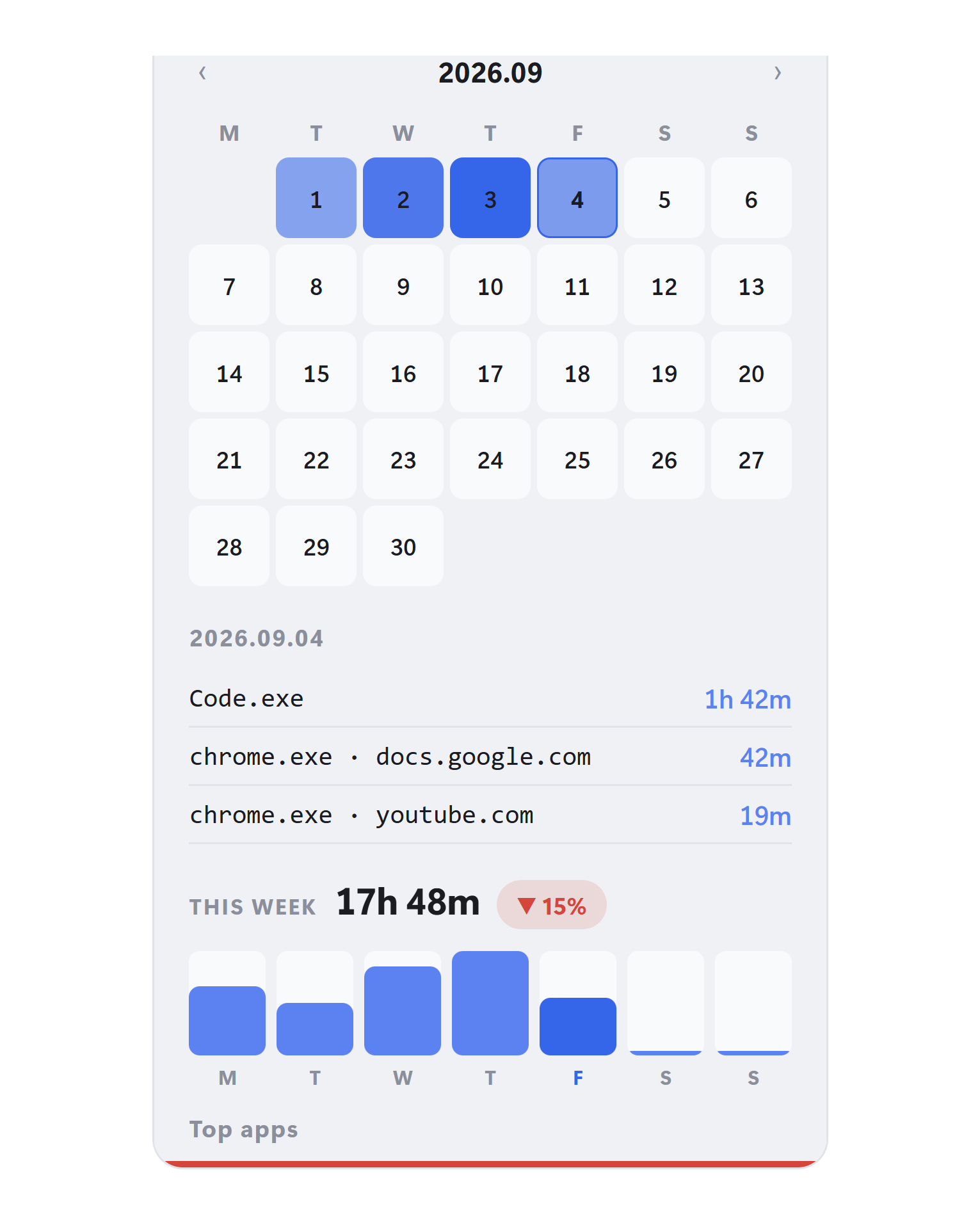
Tackt stats panel — calendar heat map and the weekly focus report

A weekly review shows the whole week, and which day you focused most.
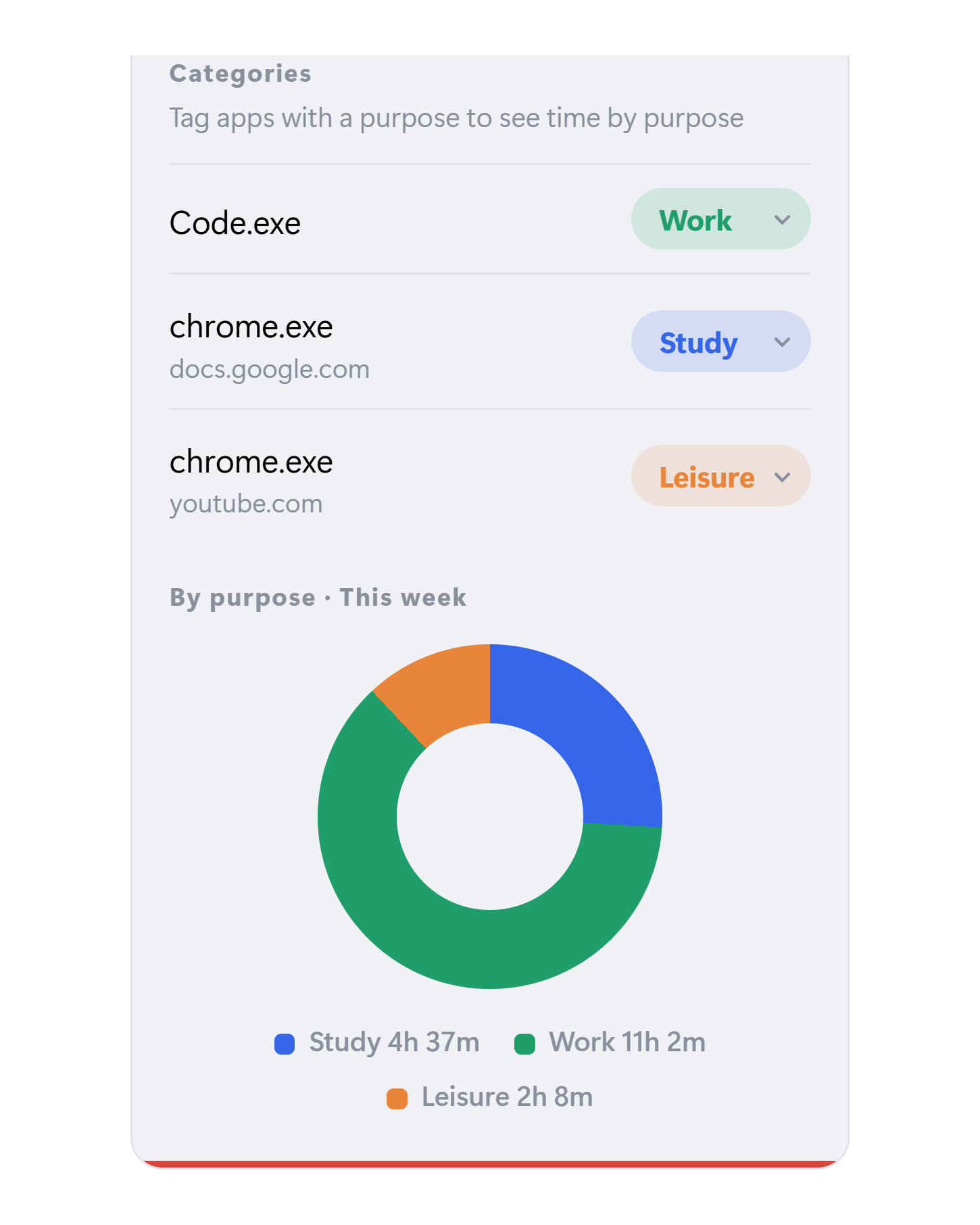
Tackt categories panel — time by purpose after tagging each app as study, work or leisure

Work, study, leisure — the same hours split by purpose.

🔒 Your usage history is stored only on this PC. Tackt does not send usage data to any server.
Features

Exactly what you see, exactly what you need

This is a mockup of the app screen. For your privacy, no browsing history or full URLs are stored — only the apps you register and their labels (a tab’s title when you register it), on this PC.

1

Active-window detection

Time counts only in FOCUS. The digits sharpen and the bottom bar turns blue; switch to another window and it pauses automatically.

01:24:07
Visual Studio Code
FOCUS
Live demo
2

Per-tab counting

Browsers count by tab title or site. Hit “Register”, click the tab, done.

Targets
chrome.exe Register
notion.so
Code.exe Register
3

Idle-time auto-pause

When keyboard and mouse movement stops, the timer pauses itself. The digits dim, the state flips to PAUSED, the bar turns red. Time away from your desk doesn't count.

00:52:41
Slack
FOCUS
4

Calendar heatmap & weekly report

See every day's focus as a calendar heatmap and weekly summary — week-over-week change, daily bars, top apps. All computed on your device only.

▲ 18%This week
21h 40m
5

Share image

Save your focus time as one image in Instagram’s feed ratio (4:5). Share the time you focused on social media.

Available in the Windows version now.

Example Tackt share image — 17 h 40 m of focus this week, time per app and a bar for each day
How it works

Done in three clicks

Download & run

Runs the moment it installs — no sign-up required.

Register a target

Press Register, then click the app you want counted.

Just work

Counts only while a registered app is active.

Compare

How is it different from other timers?

Tackt counts time differently from other tools. Choose by what you want to keep.

Comparison by how each kind of timer counts time
Tackt Plain timerstopwatch, countdown Log-everything trackerrecords all PC use
When time counts TacktOnly while an app or site you registered is in front Plain timerThe whole time it runs Log-everything trackerEvery app and window while you use the PC
Switch to another window TacktPauses by itself Plain timerYou stop it yourself Log-everything trackerStill recorded — you filter it out later
Step away TacktPauses when keyboard and mouse go quiet Plain timerYou stop it yourself Log-everything trackerVaries by product
Setup TacktClick the app to count, once Plain timerNone — you start it every time Log-everything trackerReview and adjust the rules that sort your log
What you keep TacktTime on the work you chose, day by day Plain timerHow long it ran Log-everything trackerA full log of your PC use

Basis: how time is counted. This compares kinds of tools, not specific products; individual products may differ.

Pricing

Try it free.
Buy once, use it forever.

One lifetime license gets you automatic updates.
Be sure to keep your license key safe.

Free
$0
Keeps working after the trial
  • 3 targets
  • Today's focus history
  • Idle-time auto-pause
  • Full history & calendar
  • Weekly report
Download free
Lifetime
PRO Lifetime
$24.99 one-time$29
  • 5 targets
  • Full history & calendar heatmap
  • Weekly report
  • All future updates
  • Activate on up to 3 devices
Launch price · one-time payment
Get PRO
Subscription
$3.49 /mo
or $16.99/yr · save 59%
  • Everything in PRO
  • Cancel anytime
  • Start small
  • Own it forever
Subscribe

Your license key is emailed right after checkout.

FAQ

Frequently asked questions

Does my usage data leave my computer?
No. Your focus history is kept in a file on your own PC and is never uploaded. It never stores your browsing history, full URLs or the titles of windows you did not register — only app names, site hosts and, for a tab you register, that tab’s title as the target’s label. The app uses the network for licence checks (your licence key and a device hash), auto-update, and a handful of one-time usage milestones per install, such as first launch and first record — app version, OS, language, a random install ID made on this PC and, for direct downloads, the name of the link you downloaded from (e.g. naver-ad). No app names, window titles or usage records; you can switch them off in Settings.
What do I get for free?
Installing gives you five days with every PRO feature, and after that Tackt keeps working on the free tier. Free covers three targets and the current day’s record; full history, the calendar and the weekly report are PRO. No card details are asked for at any point.
How is this different from other time trackers?
Most trackers log everything you do and sort it out afterwards. Tackt works the other way round: you register what counts first, and the clock only moves while that window is in front of you. What you are left with is not a log of everything, but the time you actually stayed with something.
Does the timer keep running when I step away?
No. After a stretch with no keyboard or mouse input it pauses on its own, and you can change that threshold in Settings. If the PC goes to sleep the counter stops entirely, so a night at the desk never inflates your total.
Windows shows a warning when I install. Is it safe?
The installer is code-signed through Azure Artifact Signing. SmartScreen can still show a prompt while a new certificate builds up reputation. The simplest way around it is the Microsoft Store build, which installs without any warning.
Is the lifetime licence really a one-time payment?
Yes — one payment, no renewals. It includes every future update, and you can activate it on up to three machines. Your licence key is emailed to you as soon as the payment goes through.
Can I use it on my phone?
Tackt is Windows and macOS only. It works by checking which app is in front of you, and iOS and Android do not let an app see that. If you are reading this on a phone, send yourself the install link and open it on your computer.